
Office Hours
Places to Get Help
The fastest places to get help in EECS 183 are:
- Project questions not involving code: Piazza
- Project questions involving your code: Staff office hours, professor office hours
- Lab assignments, class concepts: Piazza, staff office hours, professor office hours
- Course logistics requests (extensions, emergencies): Admin Form
- Anything else: staff office hours, professor office hours
Office Hours Info
Office Hours are times the course staff and professors have dedicated to helping you. We’re happy to help!
When office hours are busy, we spend a strict 10-15 minutes per person to ensure everyone can get helped.
In-Person Faculty Office Hours
- Steve Bogaerts:
- Time: Tuesdays & Thursdays 4:30 - 6:00 PM (on days we have lectures)
- Location: 1837 East Hall
- William Arthur:
- Time: Tuesdays & Thursdays 10:00 - 11:30 AM (on days we have lectures)
- Location: 1837 East Hall
- Ben Torralva:
- Time: Thursdays 12:30 - 2:00 PM (on days we have lectures)
- Location: 222 Weiser
In-Person and Virtual Staff Office Hours
Staff office hours (in-person and virtual) are shown in the calendar below. We aim for office hours to meet at a consistent time and place each week, but occasionally some adjustments may be necessary. Please verify the time and location here for office hours you plan to attend.
Office Hours Etiquette
As we prepare for labs and projects this semester, it’s important to remember proper office hours etiquette/manners:
- Come with a specific question: it’s easiest to answer questions when they are specific to a part of code or perhaps a concept. Some examples of questions that are too general include:
- “My code is not working for this test case, please help me fix it”
- “How do I catch the last bug for this function?”
- We ask that you do not do extensive coding during your office hours appointment. If we suggest a large code change, please wait until after the appointment to implement the change, as that will save time and help you best learn the material.
- Please remember the GSIs and IAs are not there to solve all your code problems, but rather as a guide in the right direction.
- Ensure that you are able to be in your Google Meet Link by the time an instructor gets to you. If you need to step out or are in the middle of something, please put that in your description so you are not removed from the queue.
- Be polite and respectful. It is easier to facilitate an inclusive, comfortable learning environment when there is kindness received and given :)
How to Attend Virtual Staff Office Hours
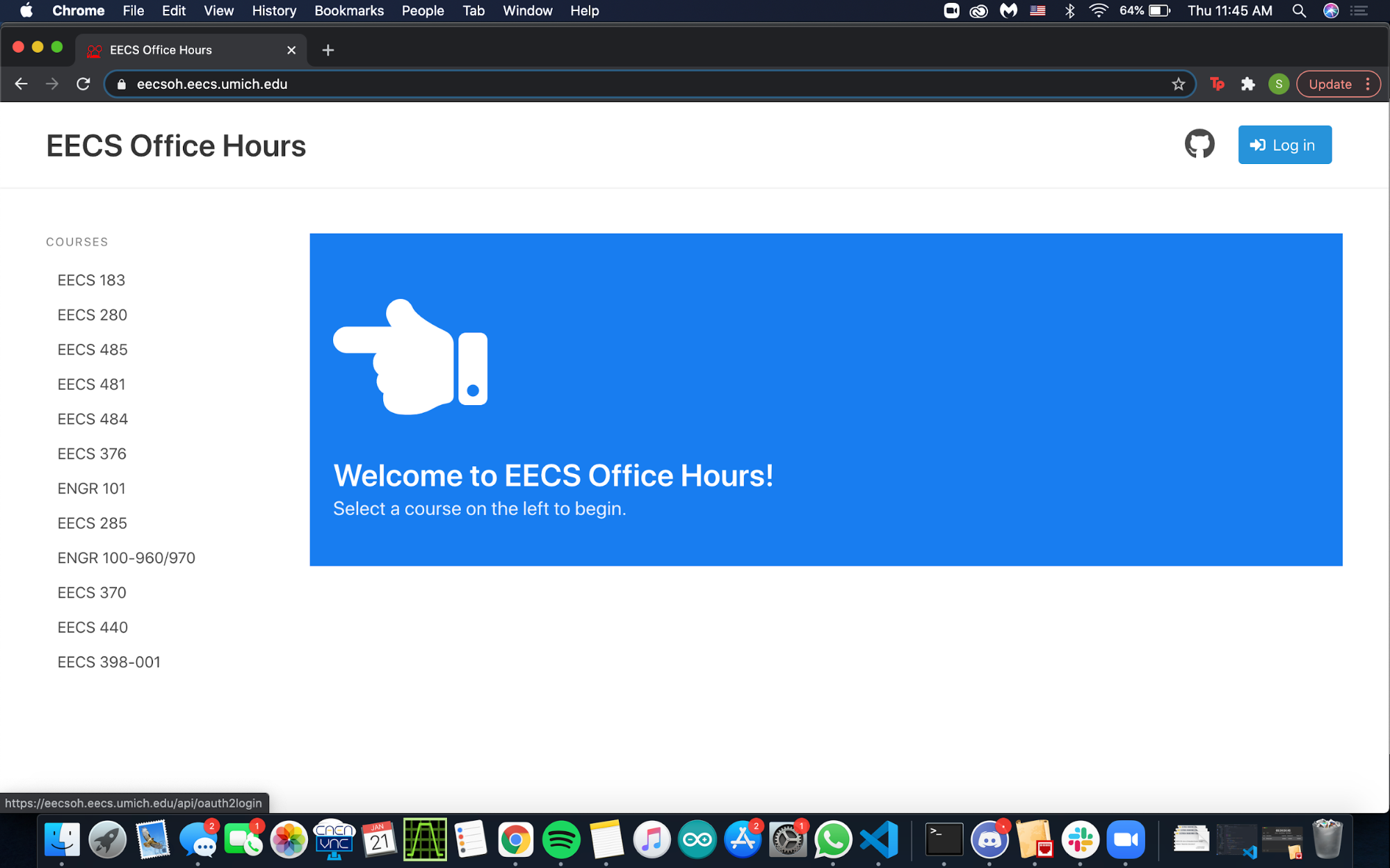
- Navigate to the main office hours site, https://eecsoh.eecs.umich.edu/.
-
If you are not signed in, click the Login Button at the top right of the page:
-
You should be redirected to the office hours page. Select
EECS 183on the left and selectPython. Enter a descriptive message of what you need assistance with and either: 1) Indicate where you are in the DOW for in-person office hours, or 2) insert a Google Meet or Zoom link (steps for Google Meet in next section).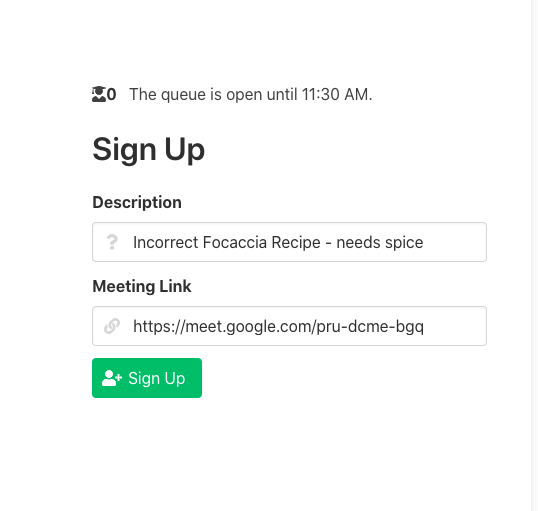
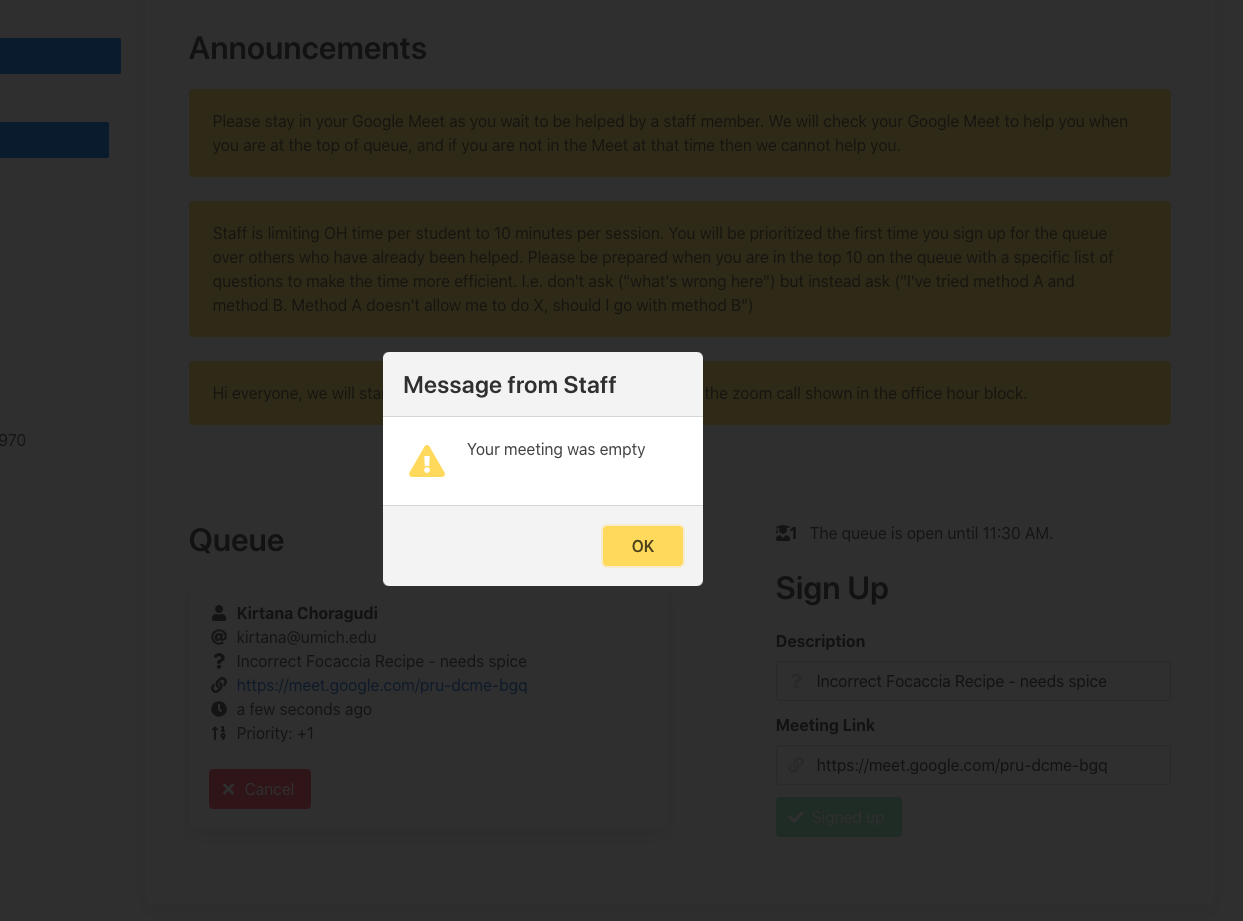
- You should now be on the queue as seen in the above image and will be notified when you are up next. If it is your first time on the queue for the day, you are prioritized. After that, other first-timers of the day receive priority. Ensure that you are in your Google Meet when you are close to the top, or you may risk losing your priority status.
- You will be notified if there is an issue with your meeting (e.g. you aren’t there or your link is expired). If sufficient time has elapsed and the issue is unresolved, we will warn you before popping you off the queue.
Setting up a Google Meet
Here we’ll discuss setting up a Google Meet for virtual office hours on Tuesdays and Fridays. (You may instead use Zoom if you prefer.)
-
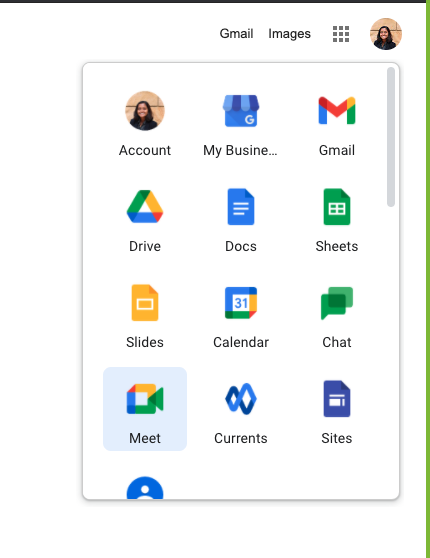
Go to your Google account and select the grid and find the meet icon.
-
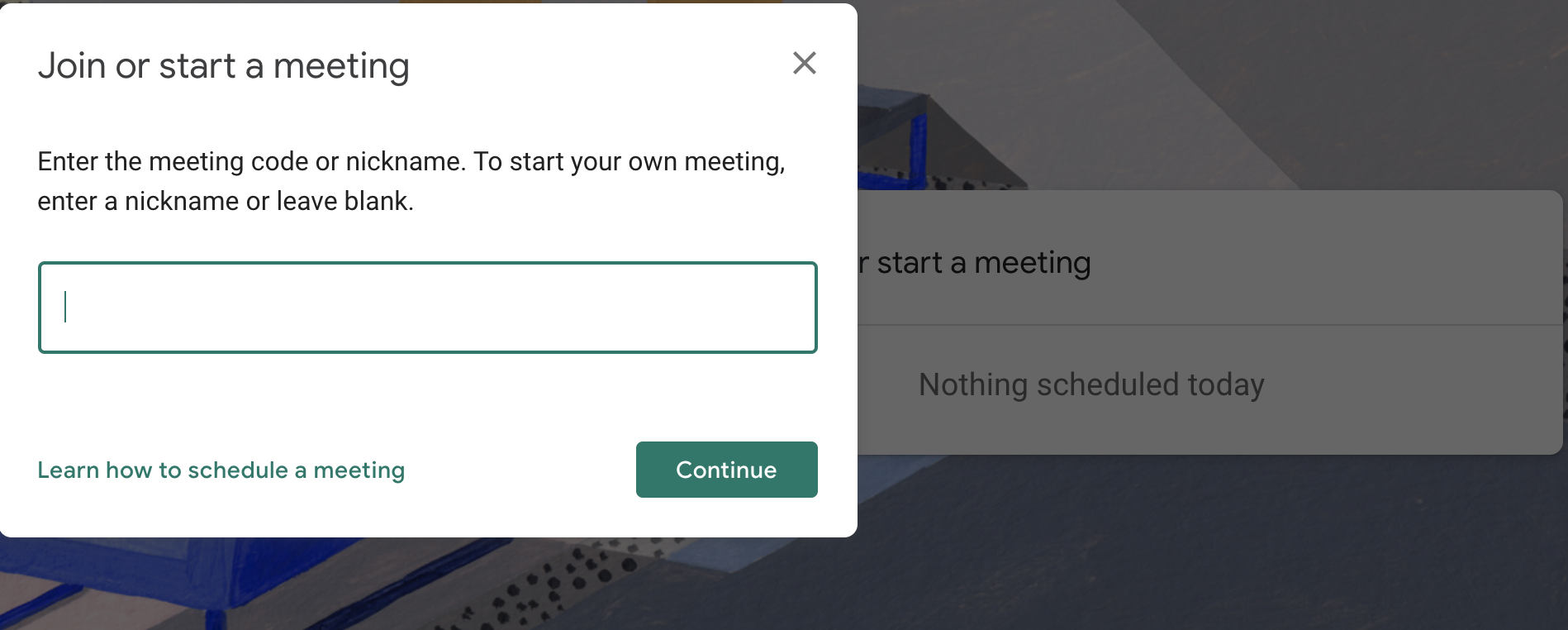
Click the “Join or Start a Meeting” tab. The meeting name is unimportant. Start the meeting by clicking “Continue” and then “Join Now.”
-
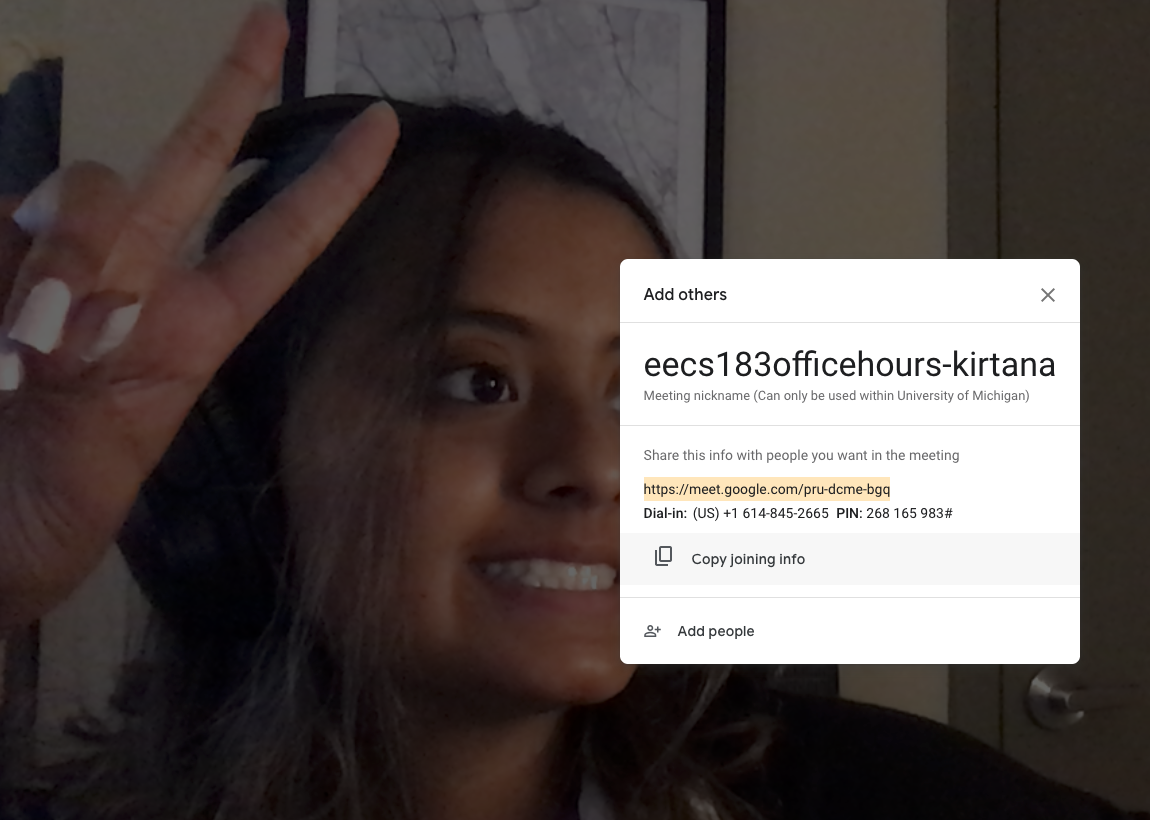
Copy-and-paste this link into your office hours “Meeting Link” text box and your meeting is ready!
Copyright and Academic Integrity
© 2026 William Arthur and Steven Bogaerts.
This work is licensed under a Creative Commons Attribution-NonCommercial-ShareAlike 4.0 International License.

All materials provided for this course, including but not limited to labs, projects, notes, and starter code, are the copyrighted intellectual property of the author(s) listed in the copyright notice above. While these materials are licensed for public non-commercial use, this license does not grant you permission to post or republish your solutions to these assignments.
It is strictly prohibited to post, share, or otherwise distribute solution code (in part or in full) in any manner or on any platform, public or private, where it may be accessed by anyone other than the course staff. This includes, but is not limited to:
- Public-facing websites (like a personal blog or public GitHub repo).
- Solution-sharing websites (like Chegg or Course Hero).
- Private collections, archives, or repositories (such as student group “test banks,” club wikis, or shared Google Drives).
- Group messaging platforms (like Discord or Slack).
To do so is a violation of the university’s academic integrity policy and will be treated as such.
Asking questions by posting small code snippets to our private course discussion forum is not a violation of this policy.