In this lab, you will be using your newfound Pandas skills to analyze the Titanic dataset.
Image source: Reclams Universum, 28. Jg., Heft 30, Illustrierte Wochenschau vom 26. April 1912, Leipzig 1912, Jahrbuch S. 171.
The Titanic dataset contains information about the passengers of the Titanic, including their ages, the classes they traveled in, and whether or not they survived. Each row represents information about one passenger. Here is the schema of the dataset:
Column Name
Type
Description
survived
int (0 or 1)
Indicates whether the passenger survived (1) or not (0).
Passenger’s age in years. May contain missing values.
sibsp
int
Number of siblings or spouses aboard the Titanic.
parch
int
Number of parents or children aboard the Titanic.
fare
float
Ticket fare paid by the passenger.
embarked
string
Port of embarkation: C = Cherbourg, Q = Queenstown, S = Southampton.
class
string
Human-readable version of pclass: First, Second, or Third.
who
string
General category of passenger: man, woman, or child.
adult_male
bool
Indicates whether the passenger is an adult male.
deck
string
The deck where the passenger’s cabin was located. May be missing.
embark_town
string
Full name of the embarkation town (Cherbourg, Queenstown, or Southampton).
alive
string
Indicates survival status in text form (yes or no).
alone
bool
Indicates whether the passenger was traveling alone (True) or with family (False).
Starter Files
You can download the starter files using this link. They contain:
titanic.csv: dataset that you will be analyzing
titanic_analysis.py: source code files you will use to submit your analysis for grading.
Lab Assignment
Tasks to Complete
To complete this portion of the lab, you need to do the following steps:
Study main – observe that it reads titanic.csv and calls the functions you will be implementing.
Implement the functions below.
count_num_survived(df)
count_percentage_survivors(df)
less_than_fare(df, fare)
over_eighteen_by_class(df)
oldest_youngest_info(df)
Submit the following files to the autograder:
titanic_analysis.py
IMPORTANT: We will test your code with different subsets of the dataset, so do not attempt to hardcode the answers. Use Pandas functions to manipulate the dataset.
More information about each function can be found below.
Function Details
You will complete five different functions, with each function allowing you to glean a little knowledge from the dataset. The five functions are described in more detail below.
IMPORTANT: Please ensure that your output looks exactly the same as ours! Any deviation from the expected output will cause your submission to be marked wrong on the Autograder, even if your Pandas code is correct.
Function 1: count_num_survived
You will be printing out the number of passengers on the titanic that did survive, followed by the number of passengers who did not. Your output should look exactly like this:
Number of people who survived: [your answer here]
Number of people who did not survive: [your answer here]
Function 2: count_percentage_survivors
In this function, you will be calculating and printing out the percentage of passengers from each ticket class that survived. Your output should look exactly like this:
Percentage of first class passengers that survived: [your answer here]
Percentage of second class passengers that survived: [your answer here]
Percentage of third class passengers that survived: [your answer here]
If you’re having trouble with this (or future functions), we recommend breaking it up into a series of steps. For example:
First, perform Pandas operations to filter the dataset and obtain all the first-class passengers.
Then, perform Pandas operations to filter that portion of the dataset and obtain the first-class passengers who survived
Finally, count the number of first-class survivors.
It’s much easier to read and debug your code when you don’t have lots of Pandas operations in one line!
Function 3: less_than_fare
In this function, you should be calculating the total number of passengers in each class that paid less than fare (a float value passed in to the function). When you call this function in main, call it with a fare of 50, but of course your function should work correctly for any fare. Your output should look like this:
In first class, [your answer here] paid less than $$[fare]
In second class, [your answer here] paid less than $$[fare]
In third class, [your answer here] paid less than $$[fare]
Function 4: over_eighteen_by_class
In this function, you should calculate the total number of passengers in each class that were 18 years of age or older. Your output should look like this:
Number of adult survivors in first class: [your answer here]
Number of adult survivors in second class: [your answer here]
Number of adult survivors in third class: [your answer here]
Function 5: oldest_youngest_info
In this function, you will be finding the oldest and youngest survivor on the ship, and printing out the age and class of the survivor. Your output should be formatted as follows:
Oldest survivor info: age = [your answer here], class = [your answer here]
Youngest survivor info: age = [your answer here], class = [your answer here]
Sample Runs
Here is a sample run of the program, using the full dataset. You can use this to verify the correctness of your Pandas code, but do not hardcode these answers into your output, or you will fail test cases on the Autograder!
Number of people who survived: 342
Number of people who did not survive: 549

Percentage of first class passengers that survived: 0.6296296296296297
Percentage of second class passengers that survived: 0.47282608695652173
Percentage of third class passengers that survived: 0.24236252545824846

In first class, 76 paid less than $$50
In second class, 177 paid less than $$50
In third class, 477 paid less than $$50

Number of adult survivors in first class: 111
Number of adult survivors in second class: 62
Number of adult survivors in third class: 56

Oldest survivor info: age = 80.0, class = 1
Youngest survivor info: age = 0.42, class = 3
How to Submit
When you’re ready, submit to the autograder. You will submit your titanic_analysis.py file.
IMPORTANT: For all labs in EECS 183, to receive a grade, every student must individually submit the Lab Submission. Late submissions for labs will not be accepted for credit. For this lab, you will receive ten submissions per day with feedback.
Once you receive a grade of 10 of 10 points from the autograder you will have received full credit for this lab.
All materials provided for this course, including but not limited to labs, projects, notes, and starter code, are the copyrighted intellectual property of the author(s) listed in the copyright notice above. While these materials are licensed for public non-commercial use, this license does not grant you permission to post or republish your solutions to these assignments.
It is strictly prohibited to post, share, or otherwise distribute solution code (in part or in full) in any manner or on any platform, public or private, where it may be accessed by anyone other than the course staff. This includes, but is not limited to:
Public-facing websites (like a personal blog or public GitHub repo).
Solution-sharing websites (like Chegg or Course Hero).
Private collections, archives, or repositories (such as student group “test banks,” club wikis, or shared Google Drives).
Group messaging platforms (like Discord or Slack).
To do so is a violation of the university’s academic integrity policy and will be treated as such.
Asking questions by posting small code snippets to our private course discussion forum is not a violation of this policy.
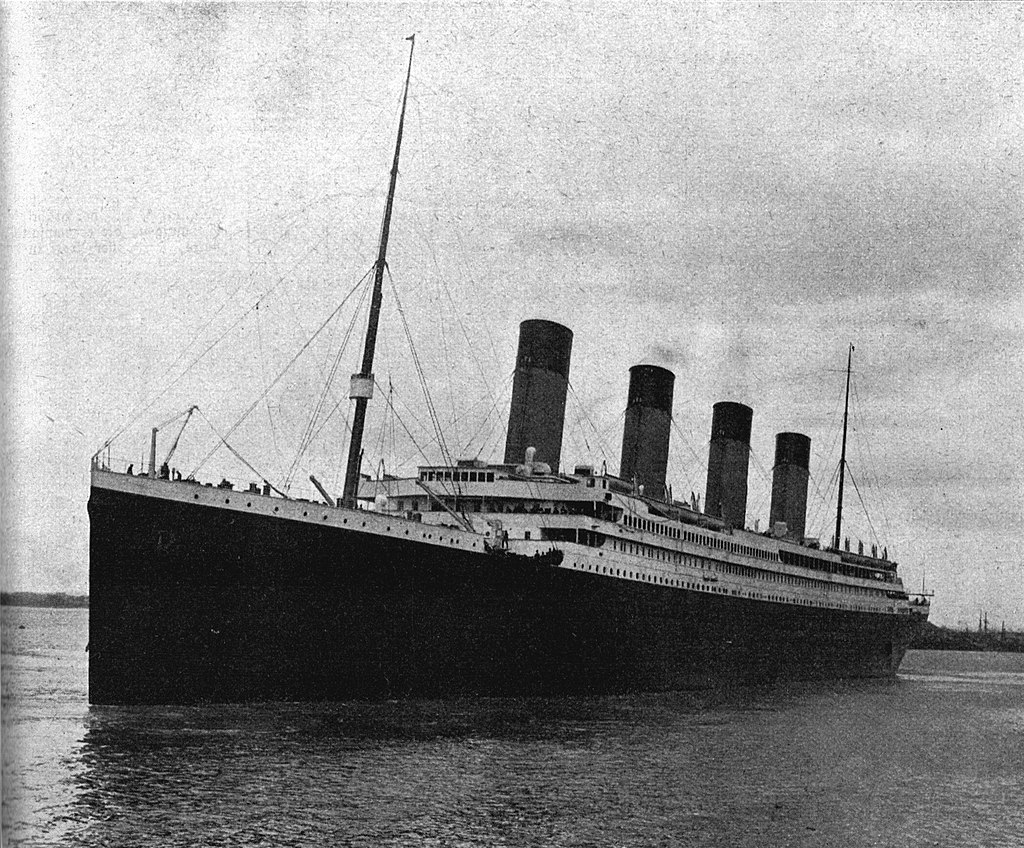 Image source: Reclams Universum, 28. Jg., Heft 30, Illustrierte Wochenschau vom 26. April 1912, Leipzig 1912, Jahrbuch S. 171.